
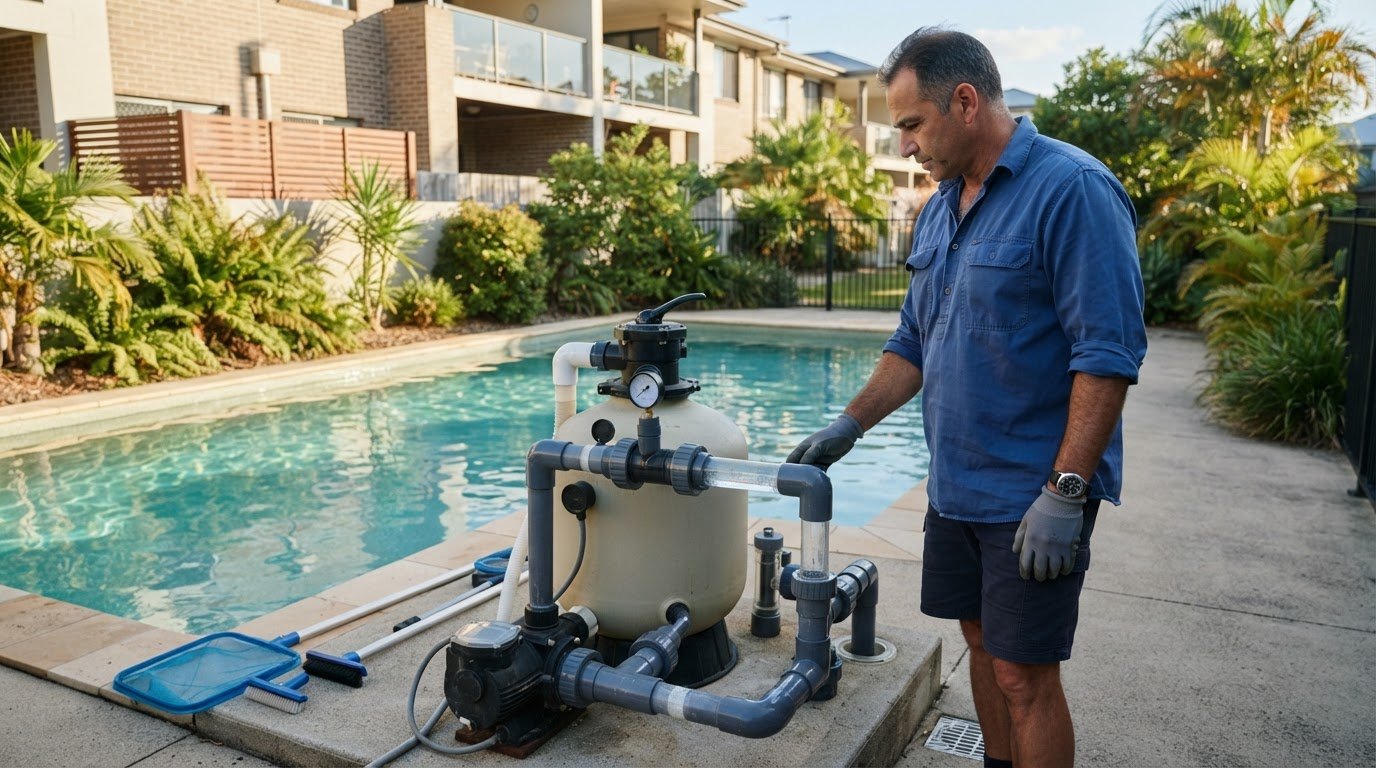
Backwashing on a fixed weekly schedule can do more harm than good: a slightly dirty sand bed can capture finer particles. If you’re unsure what the pressure gauge is telling you or worried about moving the multiport valve incorrectly, learning how to backwash a sand filter correctly starts with knowing when the filter needs cleaning.
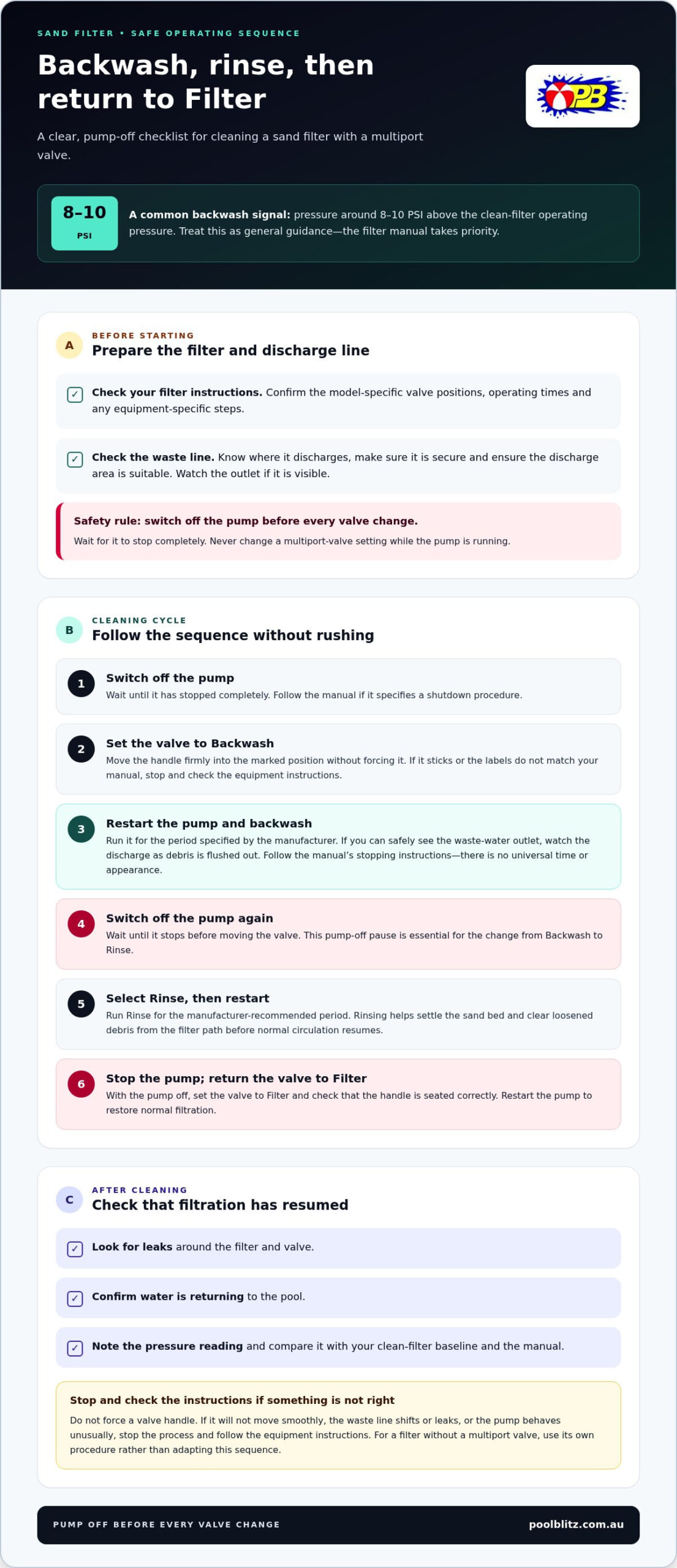
Pressure is usually the clearest guide. A reading around 8-10 PSI above the filter’s clean operating pressure is a common signal to backwash, though your filter manufacturer’s instructions should take priority. This guide explains the backwash and rinse sequence, including the essential step of switching off the pump before changing the valve setting.
You’ll also learn what to check afterwards: the discharge during backwashing, pressure once filtration resumes and signs that cleaning hasn’t resolved the problem. If pressure stays high, water remains cloudy or the filter still isn’t performing as it should, backwashing may not be the whole answer. Regular filter care supports clear water and reliable equipment, while persistent symptoms may call for further pool or equipment attention.
Key Takeaways
- Record the clean-filter pressure reading so future checks have a useful baseline.
- Learn how to backwash a sand filter correctly by following your filter manual and using the rinse setting to settle the sand after cleaning.
- Understand the general purpose of Filter, Backwash, Rinse and Waste settings, while allowing for differences in valve labels.
- Let pressure, water flow and pool conditions guide backwashing frequency rather than relying on a fixed calendar routine.
- If cloudy water or poor flow persists, filtration checks and water balancing can help identify what needs attention.
When should you backwash a sand filter, and what does it remove?
Backwashing reverses water flow through a sand filter to loosen and carry trapped debris out through the waste line. It’s a routine cleaning step, not a cure-all for cloudy water or poor circulation. To decide when it’s due, compare the pressure gauge with the clean-filter baseline instead of relying on a calendar schedule.
Record the gauge reading when the filter is clean and running in its usual Filter setting. If the pump speed is adjustable, note that too, because operating conditions can affect pressure. Your filter manual should explain what pressure rise calls for cleaning on your particular system.
What happens inside a sand filter during backwashing?
During normal filtration, water passes through the sand bed, which traps suspended particles before the water returns to the pool. This is how sand filters work; the types and function of sand filters vary, but the basic process explains why debris gradually collects in the media.
In Backwash mode, water travels through the filter in the opposite direction. The flow lifts and loosens debris caught in the sand, then carries it away through the waste line. This clears accumulated material from the filter, but it doesn’t address every cause of cloudy water. Water balance, circulation and other equipment issues may also need attention.
Which signs suggest a backwash may be needed?
Start with the gauge. A reading that has risen from your recorded clean-filter baseline can indicate that debris is restricting flow through the sand bed. Check the manual for the appropriate pressure-rise threshold, as one number won’t apply to every filter. Read the gauge with the pump and valve in the same operating conditions you used to record the baseline.
Reduced return flow is another clue. If the returns feel weaker than usual and the gauge has climbed, the filter may need cleaning. Either sign can have other causes, so avoid repeatedly backwashing without checking what the system is telling you.
- Pressure is higher than baseline: compare the change with your filter manual’s guidance.
- Return flow has weakened: check whether pressure has also changed and consider other circulation issues.
- Water remains cloudy: don’t assume another backwash will solve it; water quality or another part of the system may be involved.
Backwashing too often can disturb the sand bed and use water without addressing the underlying problem. If you’re learning how to backwash a sand filter correctly, use the gauge and return flow as practical clues, then follow the equipment manufacturer’s instructions. If symptoms persist after cleaning, filtration checks and water balancing can help identify what needs attention.
How to backwash a sand filter correctly: the safe sequence
Use your filter manufacturer’s instructions for valve positions, operating times and equipment-specific steps. The sequence below is general guidance for a system with a multiport valve. Other filters may have different valve arrangements, labels or procedures, so follow the instructions for your setup.
Before you begin, identify your filter model and check where its waste line discharges. Make sure the line is secure and the discharge area is suitable. Backwashing sends water and collected debris out of the filter, so keep an eye on the outlet if it’s visible. Never change a multiport-valve setting while the pump is running.
Follow the sequence without rushing
- Switch off the pump. Wait for it to stop completely before touching the valve. Follow the manual if it specifies a shutdown procedure.
- Set the valve to Backwash. Move the handle firmly into the marked position without forcing it. If it sticks or the labels don’t match your manual, stop and consult the equipment instructions rather than guessing.
- Restart the pump. Run the backwash for the period specified by the manufacturer. If you can safely see the waste-water outlet, watch the discharge as debris is flushed out. Follow the manual’s stopping instructions rather than relying on a universal time or appearance.
- Switch the pump off again. Wait until it has stopped before moving the valve. Do this for every change of setting, including the move from Backwash to Rinse.
- Select Rinse. Set the valve to Rinse, then restart the pump and run it for the manufacturer-recommended period. Rinsing helps settle the sand bed and clear loosened debris from the filter path before normal circulation resumes.
- Stop the pump once more. With the pump off, return the valve to Filter. Check that the handle is seated in the correct position, then restart the pump to restore normal filtration.
- Check the system. Look for leaks around the filter and valve, confirm that water is returning to the pool, and note the pressure gauge reading. Compare it with your clean-filter baseline and the guidance in your manual.
Keep hands clear of moving equipment and don’t force a valve handle. If the valve won’t move smoothly, the waste line shifts or leaks, or the pump behaves unusually, stop the process and follow the equipment instructions. For systems without a multiport valve, use the filter’s own procedure instead of adapting these steps.
Following how to backwash a sand filter correctly means treating each pump stop and valve change as part of the process, not a shortcut. If filtration symptoms persist after cleaning, Pool Blitz’s pool filtration and equipment support can help identify whether the filter or another part of the system needs attention.
Backwash vs rinse: what each sand-filter setting is for
Backwash cleans the sand; Rinse settles it and clears the filter path before normal operation resumes. Each setting directs water differently, so choosing the right one matters. The descriptions below cover common multiport-valve arrangements, but your filter may use different wording or controls. Check its manual before operating it. For more context on pool filtration and water quality, see this Brisbane pool filtration and health guide.
| Setting | General purpose |
|---|---|
| Filter | Directs water through the sand media to trap particles, then returns filtered water to the pool. |
| Backwash | Reverses the flow through the sand to loosen collected debris and carry it out through the waste line. |
| Rinse | Runs water through the filter to help settle the sand bed and clear residual debris after backwashing. |
| Waste | Sends water out through the waste line without passing it through the filter media. |
Use these descriptions as a guide, not a substitute for the instructions supplied with your equipment. Some valves have extra settings, different labels or a different operating sequence. If a setting’s purpose isn’t clear, pause and check the manual rather than guessing. Knowing the difference is an important part of how to backwash a sand filter correctly: Backwash and Rinse are separate stages, not interchangeable options.
Why is the rinse setting important after backwashing?
Backwashing lifts and loosens material in the sand bed. Rinse helps the media settle back into place and carries remaining debris away before water returns to the pool. Skipping this step may send residue back through the system. Follow the manual for the correct rinse duration and sequence for your filter. Switch off the pump before changing a multiport-valve setting, including before moving from Backwash to Rinse.
When is Waste different from Backwash?
Waste bypasses the sand media, while Backwash sends water in reverse through it. Waste may be used when the equipment instructions call for water to leave the pool without passing through the filter, but it doesn’t clean the sand. Check your manual for the correct valve position and operating steps, and keep an eye on the pool level when water is being discharged.
Disposal requirements depend on location and the discharge destination. In Brisbane, permission from Urban Utilities is required to release filter backwash into the sewer network, and an application may be needed to connect to the sewer. Don’t assume pool water can be directed to any drain or area; check the applicable local guidance before discharging it. Each setting serves a different purpose, and repeated backwashing won’t resolve every water-quality or circulation problem.
How often should you backwash, and what if the filter still struggles?
Backwash when your filter’s pressure, flow and manufacturer’s guidance indicate it needs attention, not simply because a certain day has arrived. There’s no universal calendar schedule that suits every pool. Leaf fall, dust, heavy pool use and other changes in debris load can affect how quickly the filter collects material, so let the system’s behaviour guide your checks.
A simple log makes changes easier to spot. Record:
- The pressure reading when the filter is clean and running in its usual mode.
- The pressure after backwashing and rinsing, once normal filtration has resumed.
- How quickly pressure rises again, alongside any change in return flow.
Compare readings under similar operating conditions and use the filter manual to interpret them. A quick rise after a period of heavy debris may have a different explanation from a recurring pressure increase during ordinary use. This record gives you clearer information than repeated backwashing alone.
Rule of thumb: follow your filter manufacturer’s guidance, then use pressure and flow trends to decide when cleaning is due. Don’t backwash to a fixed schedule without a reason.
What if pressure stays high after backwashing?
First, check from outside the equipment that the valve has returned to Filter and the pump appears to be operating normally. Observe the gauge and return flow without opening the filter or dismantling equipment. If pressure remains abnormal or circulation hasn’t improved, a blocked line, faulty gauge or sand-media issue may need diagnosis. Avoid repeated backwashing as a substitute for investigating the symptom.
What if the filter needs backwashing again soon?
Consider what has changed. A heavy load of leaves or other debris can mean the filter needs attention sooner, while a rapid, repeated pressure rise under normal conditions may point to a persistent equipment or filtration problem. If cloudy water continues, test and balance the water as well as checking circulation; the filter alone may not be the cause.
For ongoing symptoms, Pool Blitz can combine pool servicing and water balancing with filtration and equipment checks. If pressure keeps rising or flow remains poor, Pool Blitz’s pool equipment repair support can help identify the issue when backwashing doesn’t restore normal filtration.
When Brisbane pool owners should get help with a sand filter
An occasional backwash is normal; recurring pressure rises, weak return flow or cloudy water that persists deserve a closer look. These signs don’t prove a particular part has failed, but they can indicate that backwashing alone isn’t resolving the issue. A filter, pump, circulation pathway or water-balance concern may be involved, so consider the whole pool system rather than repeating the same cleaning step.
When does a recurring filter problem need assessment?
Pay attention to the pattern. If pressure climbs unusually soon after backwashing, return flow remains weak, or the gauge reading seems inconsistent, record what you observe and when it happens. Note the pressure after cleaning, how quickly it rises, any change in circulation and whether the water is clear. These details help make an assessment more useful, but pressure readings alone can’t confirm a damaged component.
Check that the system is operating in its normal setting and follow the filter manual. Don’t open or dismantle equipment to investigate unless you’re qualified and following the manufacturer’s instructions. If symptoms continue, pool filtration or equipment-repair support can help assess whether the filter, pump or another part of the system needs attention.
How regular pool care supports clear water
Filtration and water balance play different roles in pool care. A filter circulates water and captures debris, while testing and balancing address the water’s chemical condition. If either part is out of order, the pool may not look or feel right, even after you’ve followed the steps for how to backwash a sand filter correctly.
Pool Blitz provides regular and casual pool servicing for Brisbane pool owners, bringing filtration checks and water balancing together. This broader view helps distinguish a filter symptom from a water-quality concern and supports clear water alongside reliable equipment operation. Pool Blitz also repairs pool equipment when symptoms point to a pump or filter issue.
Keeping a simple record of pressure and flow changes gives you a clearer starting point, while routine care helps identify concerns before they become harder to untangle. If ongoing filter symptoms are making it difficult to keep your pool clear, explore Pool Blitz pool servicing for support with filtration checks and water care.
Make your next pool-care step a confident one
A clear pool depends on more than a single filter clean. Treat each maintenance check as a chance to understand how your equipment is performing over time, and seek support if a change persists rather than letting uncertainty build. Knowing how to backwash a sand filter correctly gives you a useful skill, while recognising when the pool needs broader attention helps support reliable circulation and inviting water.
Pool Blitz is an independent Brisbane pool-care business that has served the local community for over three decades. Its regular and casual pool servicing brings filtration checks together with water balancing, and equipment repairs can help when symptoms point to a pump or filter issue. This whole-pool approach provides support beyond the backwash routine alone.
For help with filtration checks, water balancing or equipment repairs, contact Pool Blitz about pool servicing.
Frequently Asked Questions
Can backwashing remove algae from a pool?
No. Backwashing can flush particles the filter has captured, but it doesn’t kill living algae or fix the water conditions that allowed it to grow. If the pool is green or remains cloudy, test the water and use an appropriate treatment plan rather than relying on another backwash. Follow chemical product labels and equipment instructions, and don’t assume one backwash will clear the pool.
Is backwashing required for every type of pool filter?
No. Backwashing is for compatible filters designed to reverse water flow, including many sand filters. Cartridge filters are generally cleaned by removing and washing the cartridge, and other filter designs may have their own maintenance steps. Before attempting to backwash a sand filter correctly, identify the filter model and check its manual. Never select a backwash setting on equipment that isn’t designed for it.
How much water does backwashing use?
There isn’t one reliable volume for every pool. Water use depends on factors such as the filter size, pump flow, how long the cycle runs and the manufacturer’s instructions. Follow the manual’s guidance for when to stop rather than extending the cycle unnecessarily. In Brisbane, check current local requirements for your discharge destination before directing backwash water to a drain, as disposal rules can depend on where it goes. If repeated maintenance noticeably drops your water level, dedicated services such as A Clear Alternative illustrate how bulk potable water delivery can help replenish pool water efficiently.
What happens if you forget to rinse after backwashing?
Depending on the filter design, skipping Rinse may let loosened debris return to the pool or leave the sand bed unsettled. If you’ve already returned the valve to normal filtration, stop the pump before changing its position. Then follow the manufacturer’s sequence to complete the rinse and restore filtration. Don’t move a multiport valve while the pump is running, as the correct procedure helps protect the equipment.
Can you backwash a sand filter too often?
Yes. Unnecessary backwashing uses water and can interfere with normal filter operation. The right timing depends on pressure readings, the amount of debris entering the pool and the filter manufacturer’s criteria. Record the clean-filter pressure, then compare later readings under similar pump conditions. For instance, a leafy period may change how quickly pressure rises, but an inflexible weekly routine can prompt cleaning when it isn’t needed.
What should you do if backwash water is going into a stormwater drain in Brisbane?
Don’t assume pool backwash is suitable for stormwater discharge. Pause and identify where the drain leads, then check current guidance with the relevant local authority before discharging more water. Brisbane City Council advises that permission from Urban Utilities is required to release filter backwash into the sewer network, and an application may be needed to connect. Sewer and stormwater arrangements differ, so confirm the applicable requirements for your outlet.
No responses yet